02 / FOREMOST · WEBSITE LAUNCHED
From product discovery to shopping and member rewards.
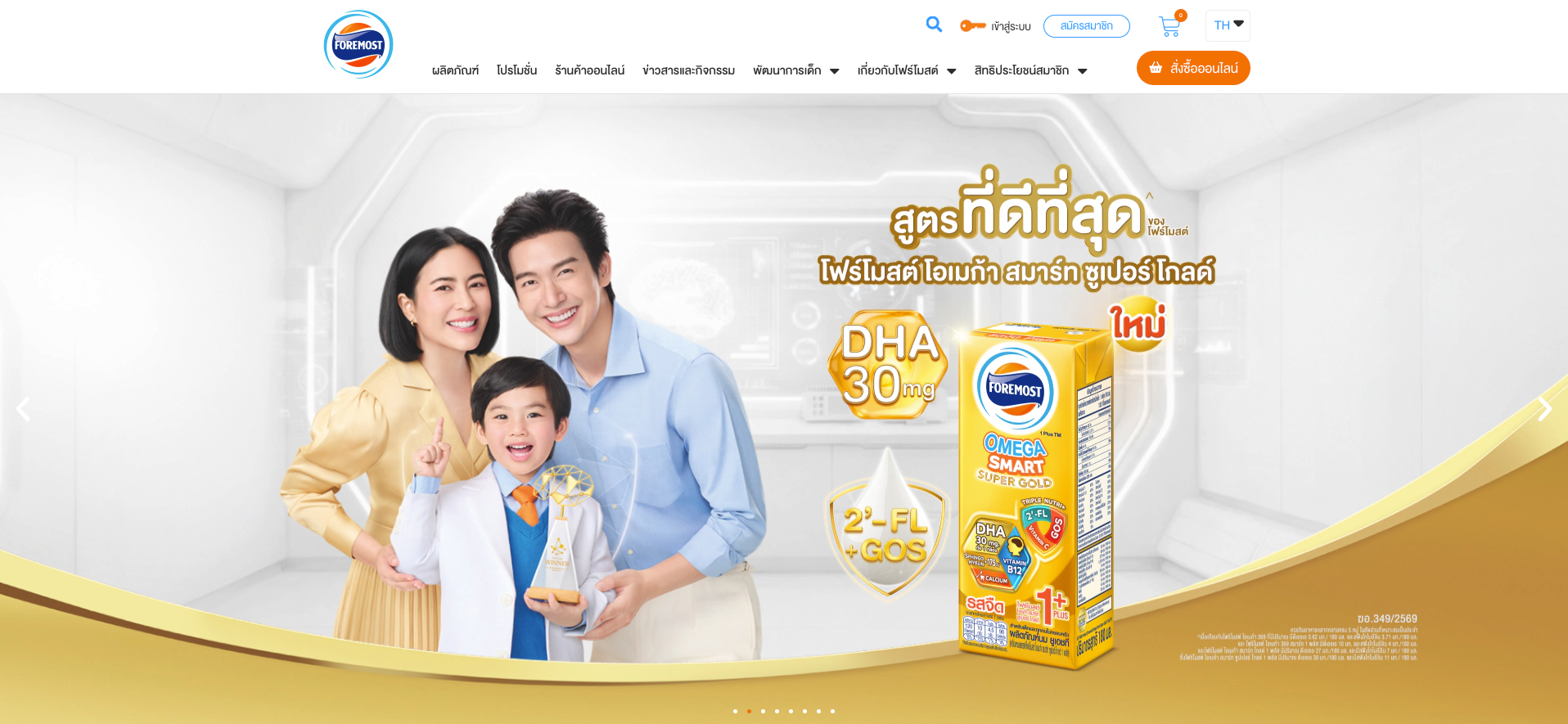
A connected body of interface work for Foremost Thailand, covering the brand website, online shopping and the Foremost Family Club CRM experience. The work connects product exploration with purchasing, membership, points and rewards across desktop and mobile screens.
Challenge
Organise a large consumer website with multiple product families and very different user intents—from learning about products to shopping, reading content and accessing member services.
My role
Created wireframes and responsive high-fidelity UI, explored interaction solutions and worked with the project manager and development team through design iteration and handoff.
Design focus
Clear product hierarchy, responsive product stories, purchase feedback and member journeys covering registration, shop connections, points and rewards.
Product discovery
From the full range to a product story.
The catalogue brings different product families together, while dedicated landing pages give each range room to explain its benefits. Product imagery, category navigation and clear groupings help visitors move from browsing the range to exploring a specific product.
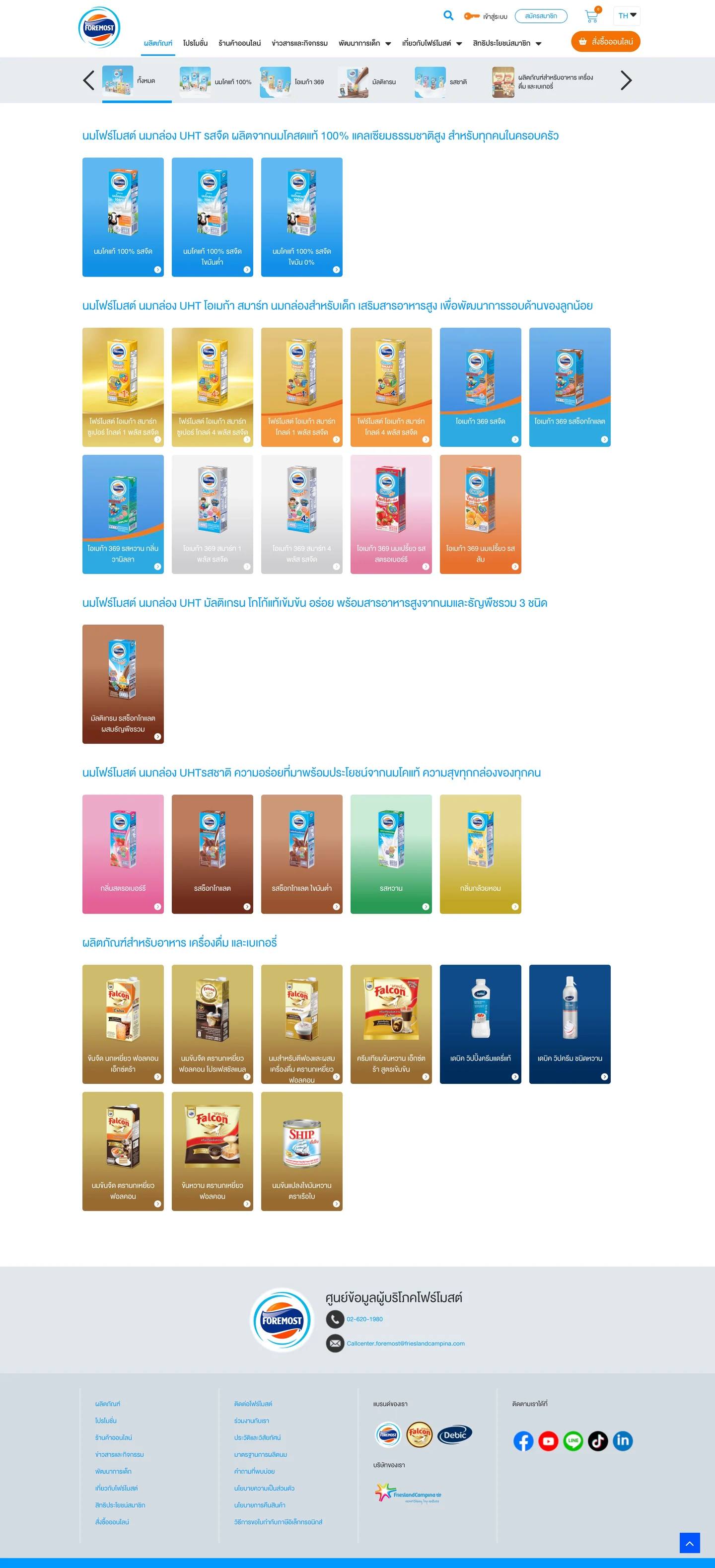
A shared catalogue gives visitors an overview of the product range.
View full screen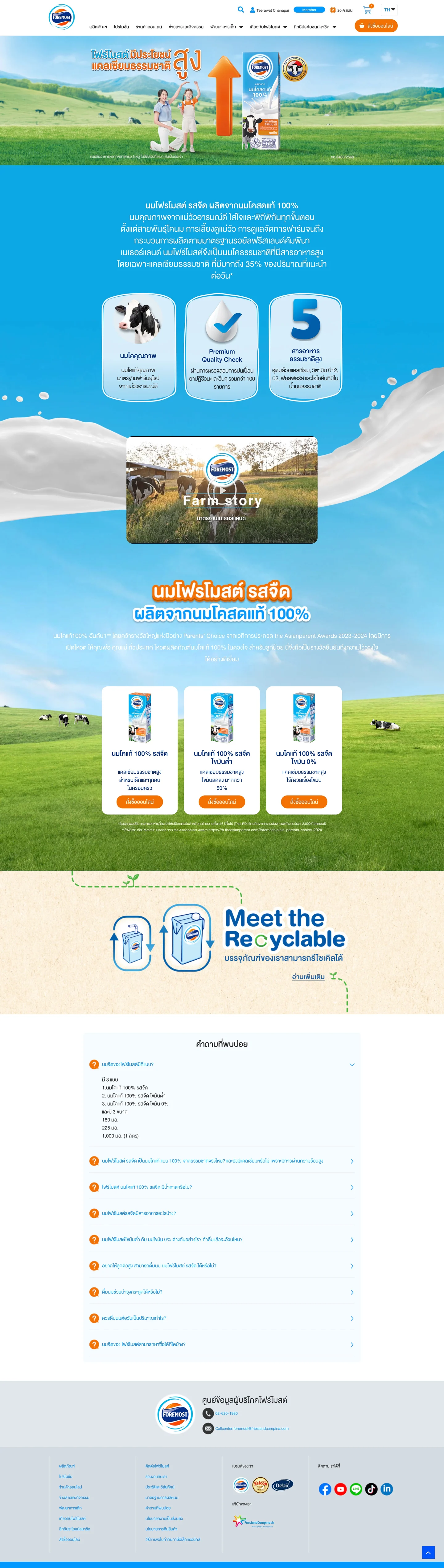
A dedicated landing page connects product information with the brand story.
View full screenResponsive design
One product story, adapted to the screen.
The Super Gold 1+ page uses a distinct gold visual identity, product imagery and long-form benefit sections. The desktop and mobile designs keep the same product story, with content rearranged for the available width.

The desktop layout gives the hero, product and benefit content room to sit together.
View full screen
The mobile layout carries the same visual identity into a vertical reading sequence.
View full screenE-commerce
Keep product information close to the buying decision.
The product detail page combines pack size, pricing and purchase controls with more detailed product information below. An add-to-cart panel confirms the selected item while leaving the catalogue visible behind it, with a clear route onward to the basket.
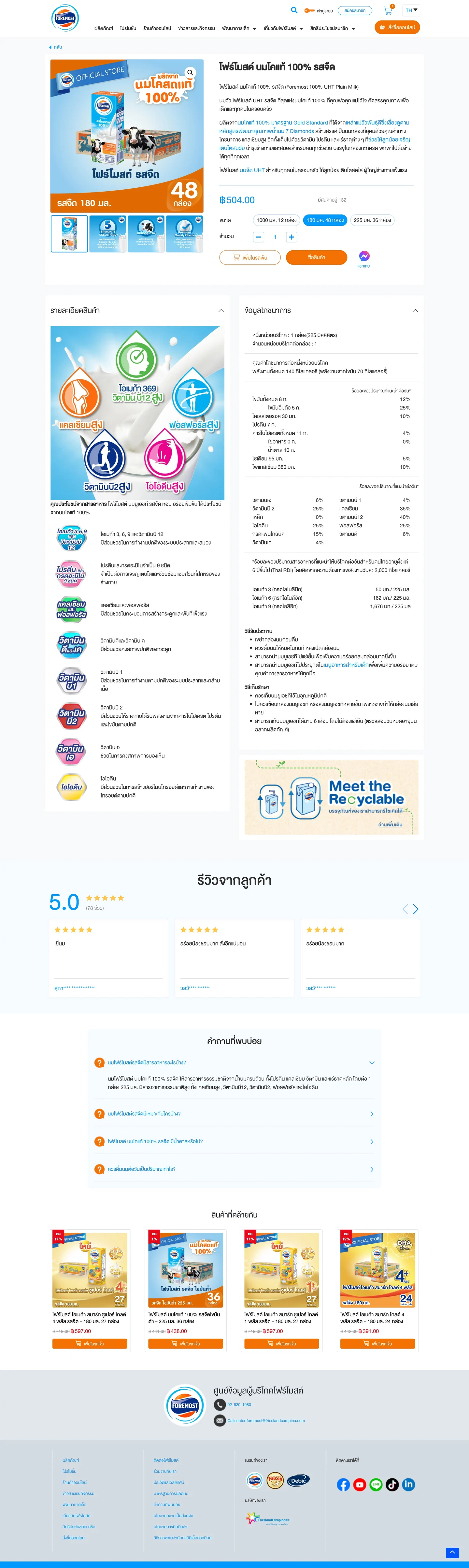
Product selection and purchase controls sit above the longer product information.
View full screen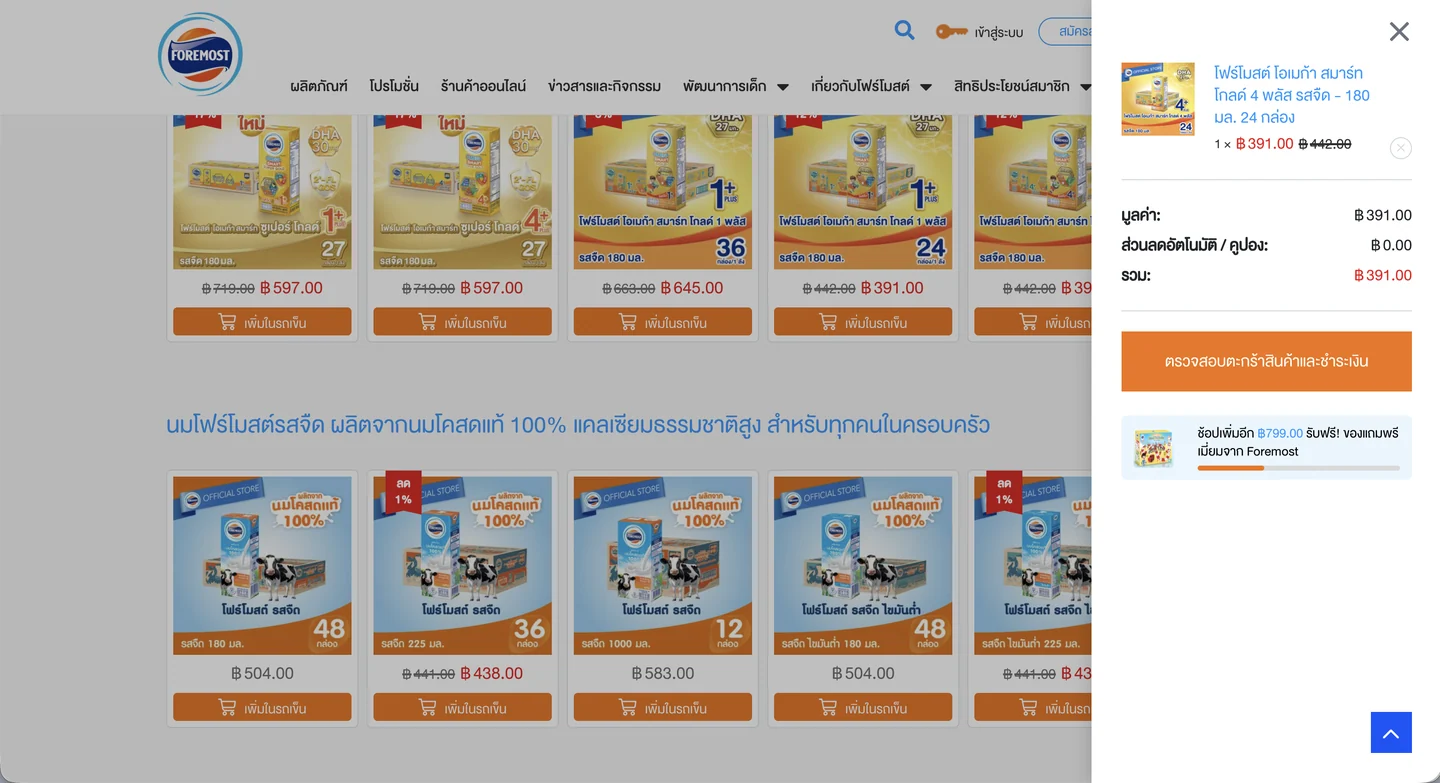
The side panel confirms the selection without replacing the catalogue view.
View full screenForemost Family Club · CRM
Connect membership, shopping channels and points.
The client brief was to design a CRM reached from the Foremost LINE Official Account Rich Menu. Entering from LINE did not automatically make someone a Foremost Member: existing members could sign in to link their accounts, while new visitors needed to register to receive member benefits. Members could also connect TikTok as another shopping channel; purchases through Foremost or TikTok were intended to earn points.
The customer-facing designs show account entry, shop-connection states, a member dashboard, rewards and points history. The dashboard surfaces the balance and benefits; the history shows where points were earned and used.
- Membership
- Points & rewards
- Shop connections
- Shopping benefits
LINE entry point · My design
Keep the membership step visible inside LINE.
I gave Family Club sign-up the most prominent position in the Rich Menu. Entering from LINE did not make someone a Foremost Member, so new visitors still needed a clear registration route to receive member benefits. Existing members could continue to sign in and link their accounts.
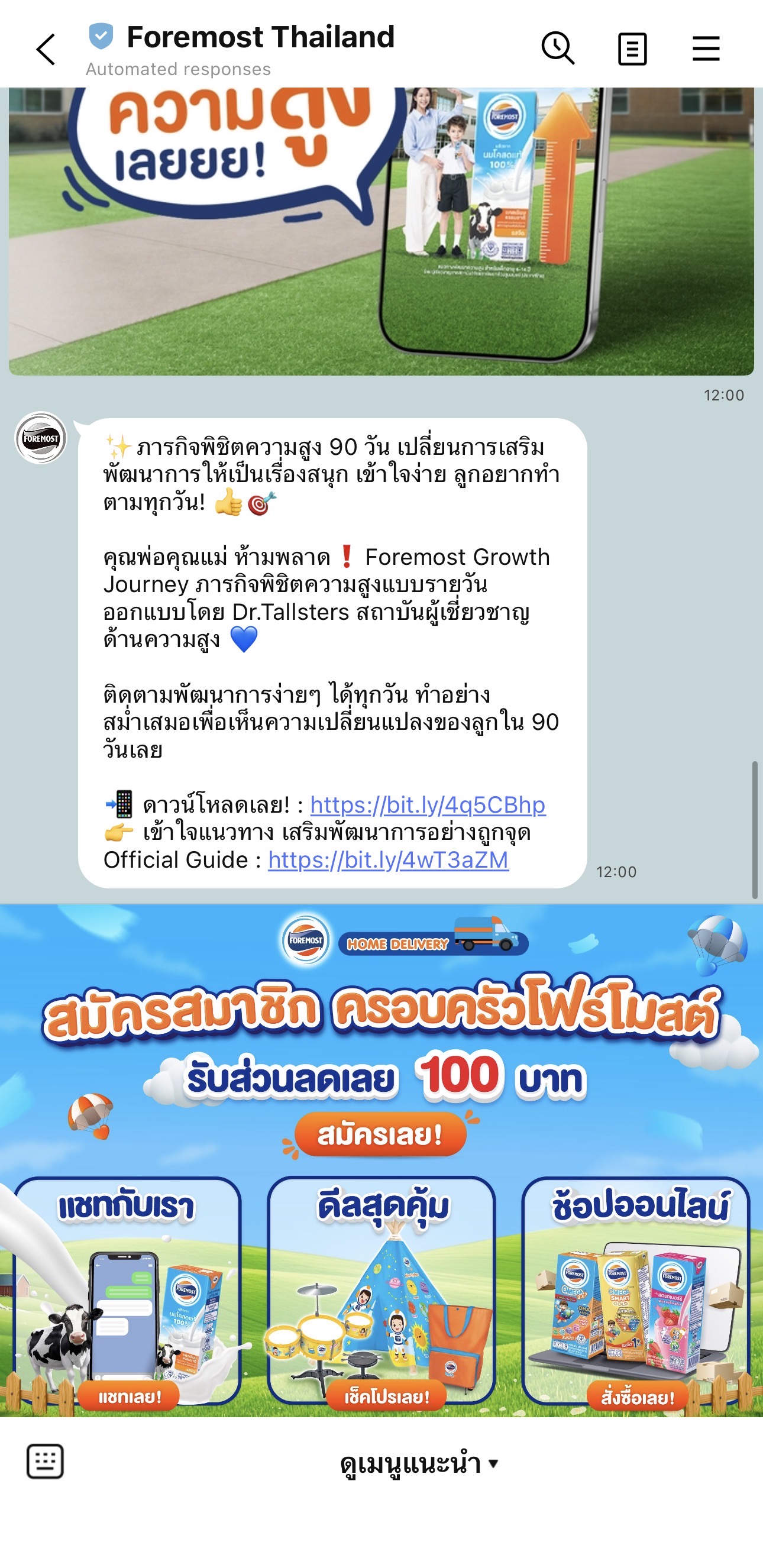
The sign-up action stays visible even though visitors enter the experience through LINE.
View full screenshot
Balance, connected shops and member benefits share one starting point.
View full screen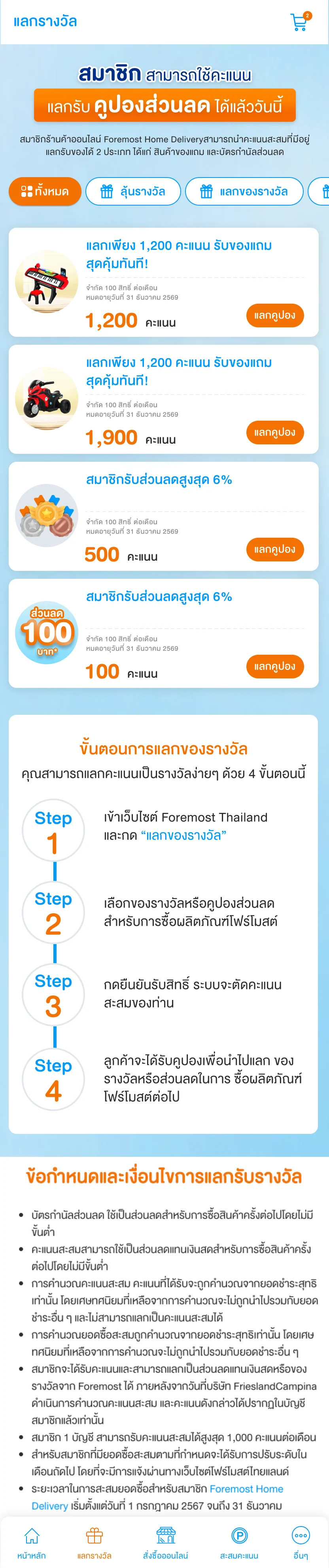
Reward options pair the offer with its points requirement and redemption action.
View full screen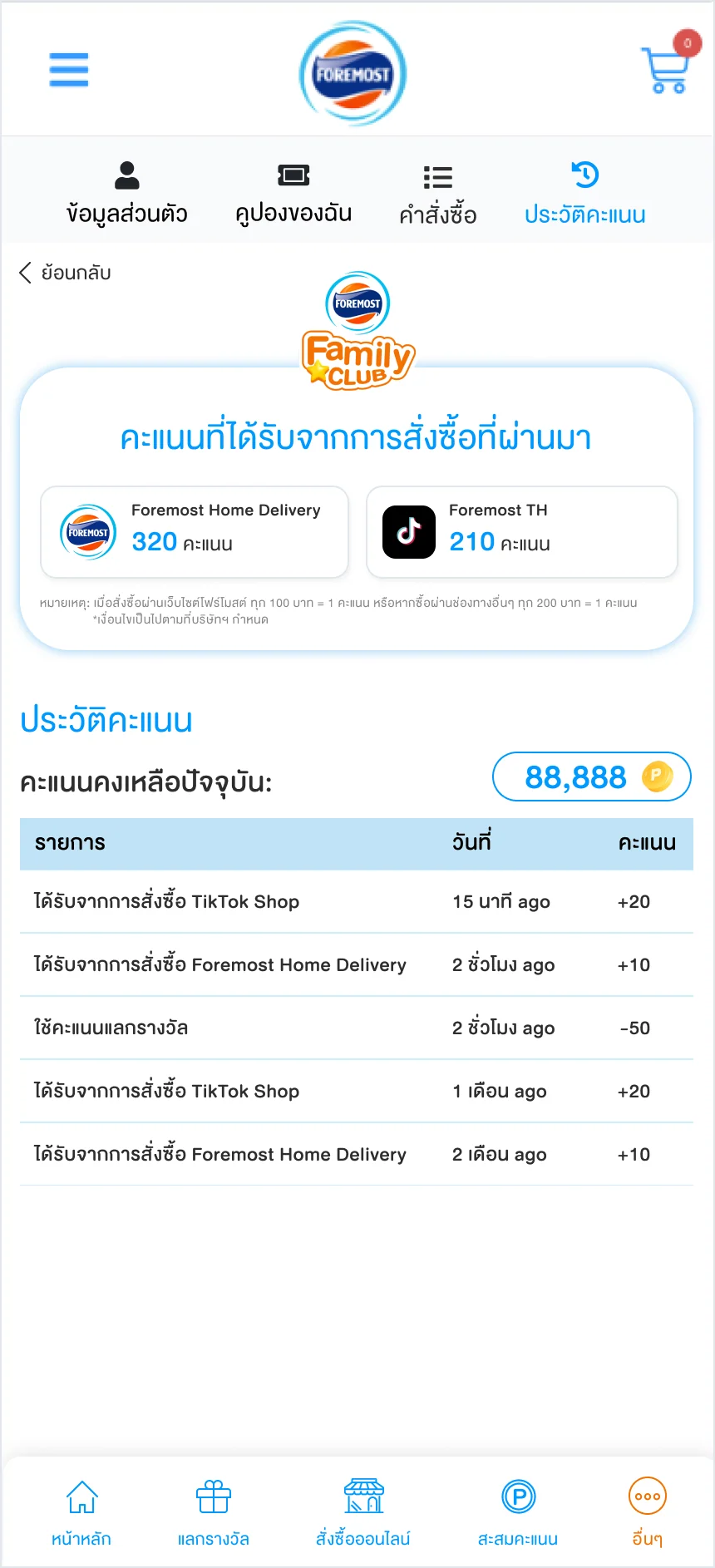
A history view makes earned and spent points visible alongside their source.
View full screenShow where points come from and how to use them.
I chose to put each shop's connection state and points-earning rate together on its card, so members can see which channels are ready to earn points and the rate for purchases on each. A confirmation screen closes the linking step, while the points history separates earnings from Foremost and TikTok. In the mobile basket, available points and a points-discount field sit with coupons and the order total.
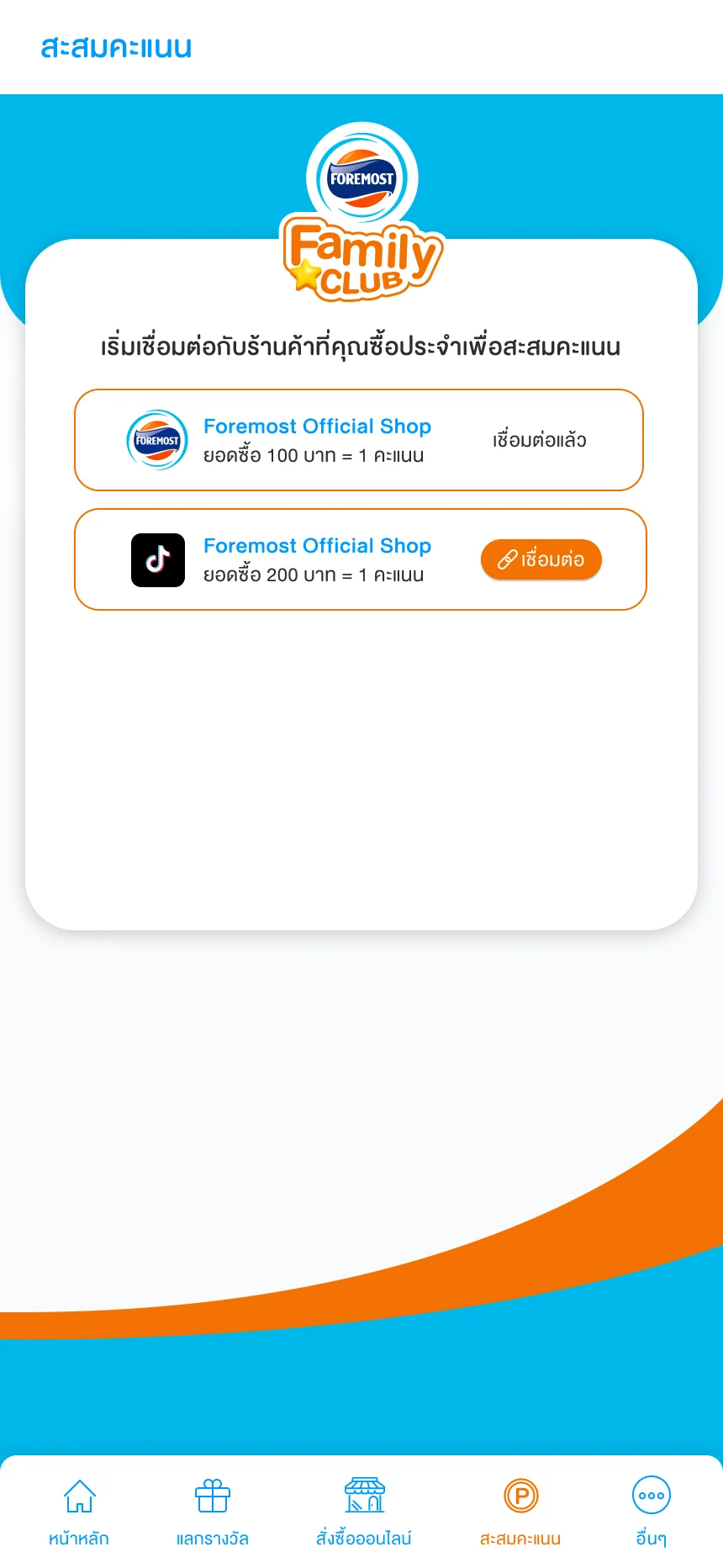
Each shop shows its connection state and a different points-earning rate.
View full screen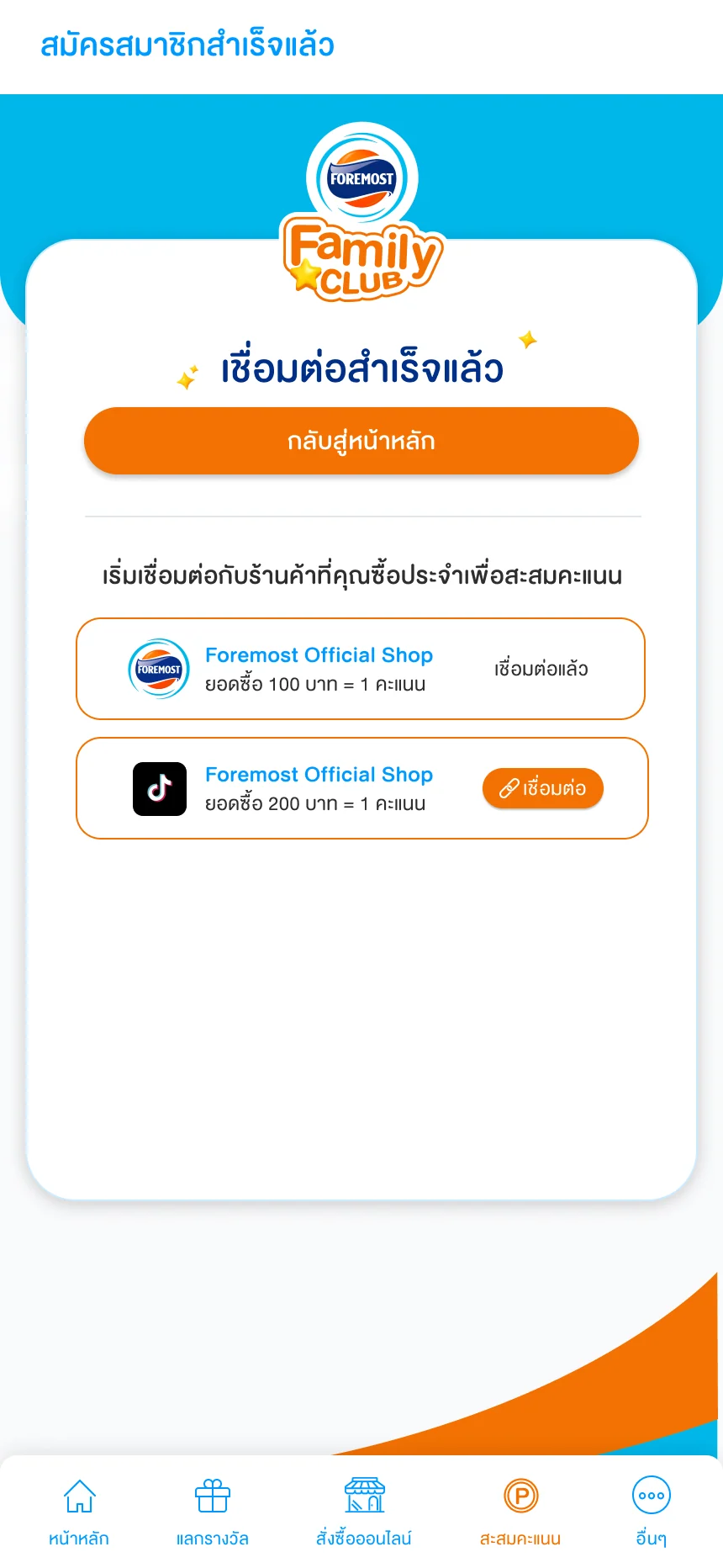
A completion message gives the connection journey a clear ending.
View full screen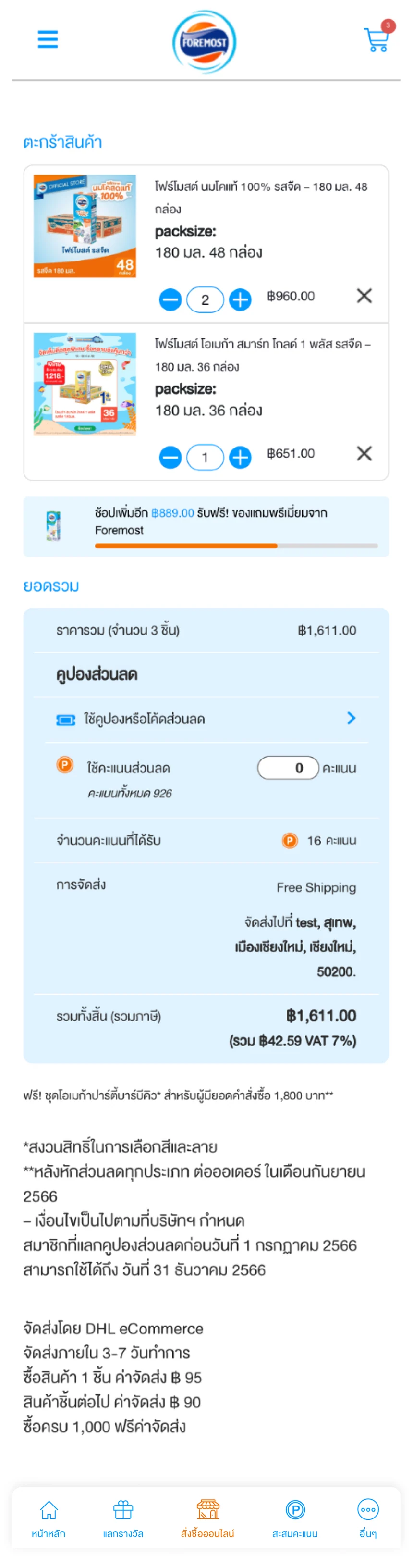
Points become part of the purchase decision, next to the order summary.
View full screenExplore membership entry, registration and account navigation · 5 screens
The entry screens explain the member benefits, offer sign-in and registration, and confirm completion. The registration form groups contact information, family preferences and communication consent; the account menu provides routes to personal details, coupons, orders and points.
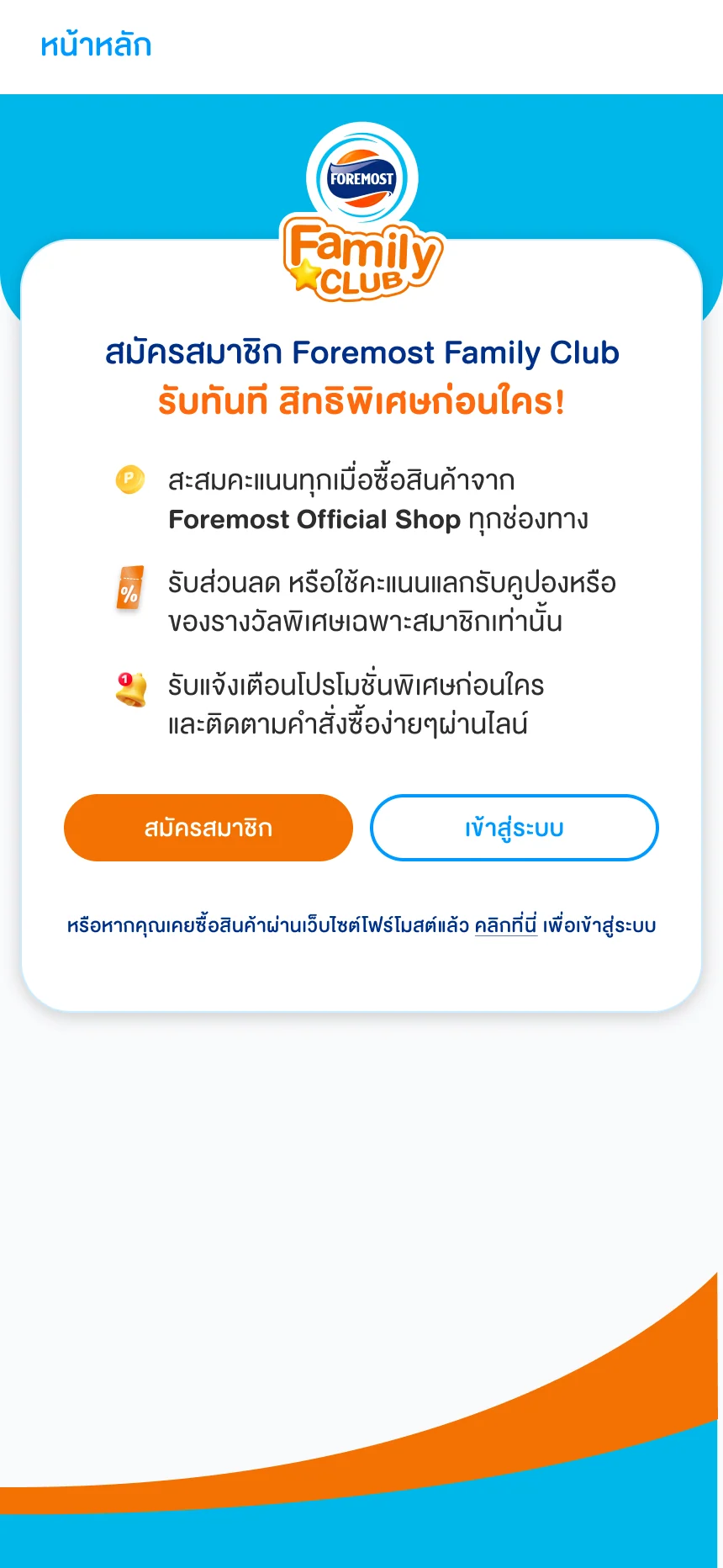
Benefits and entry actions introduce the membership experience.
View full screen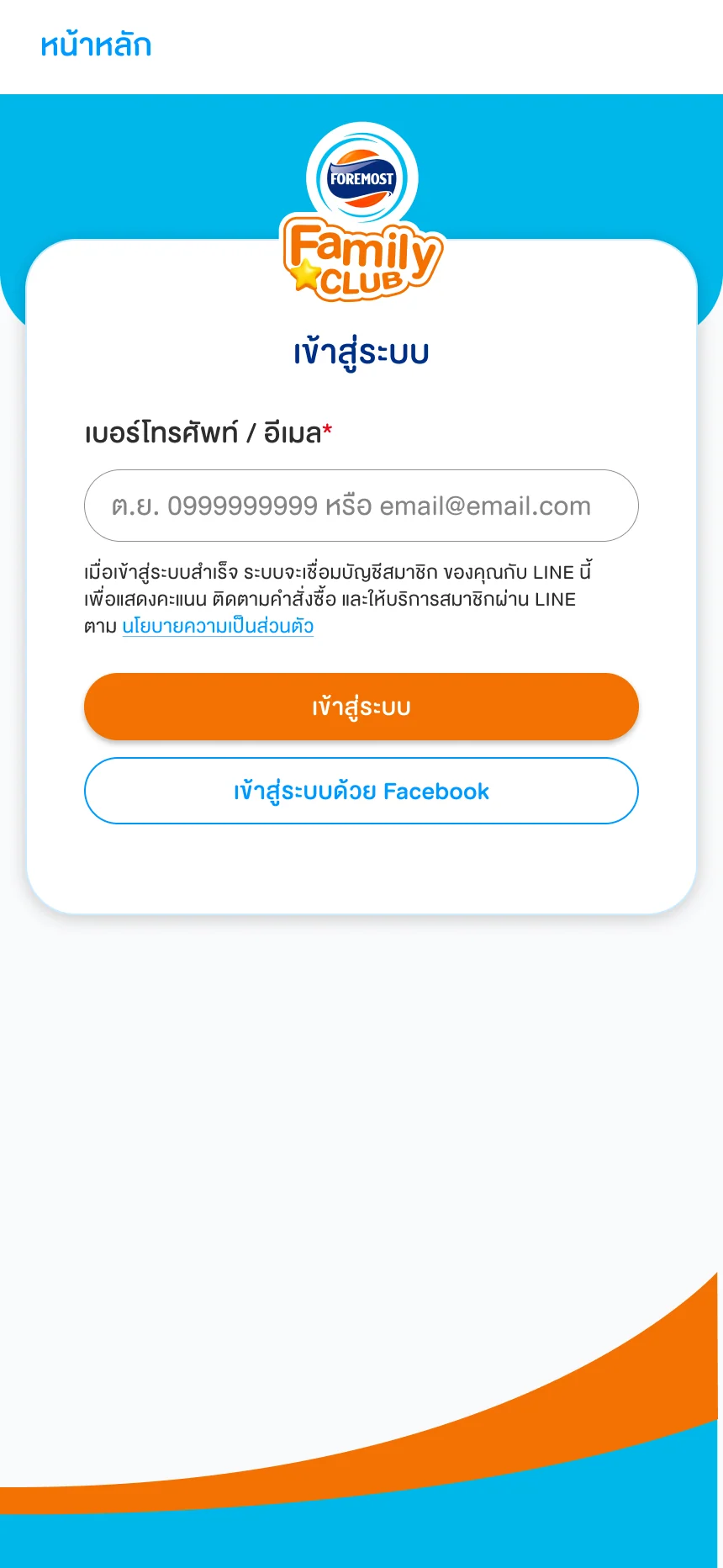
Members sign in with phone or email, or use Facebook; the screen explains that successful sign-in links their membership to LINE.
View full screen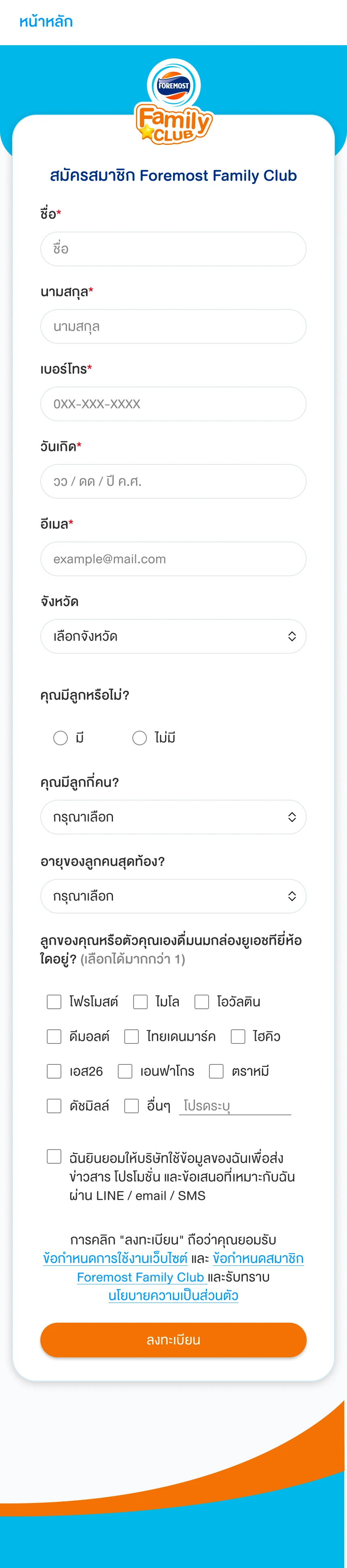
Registration groups the information needed for the member profile.
View full screen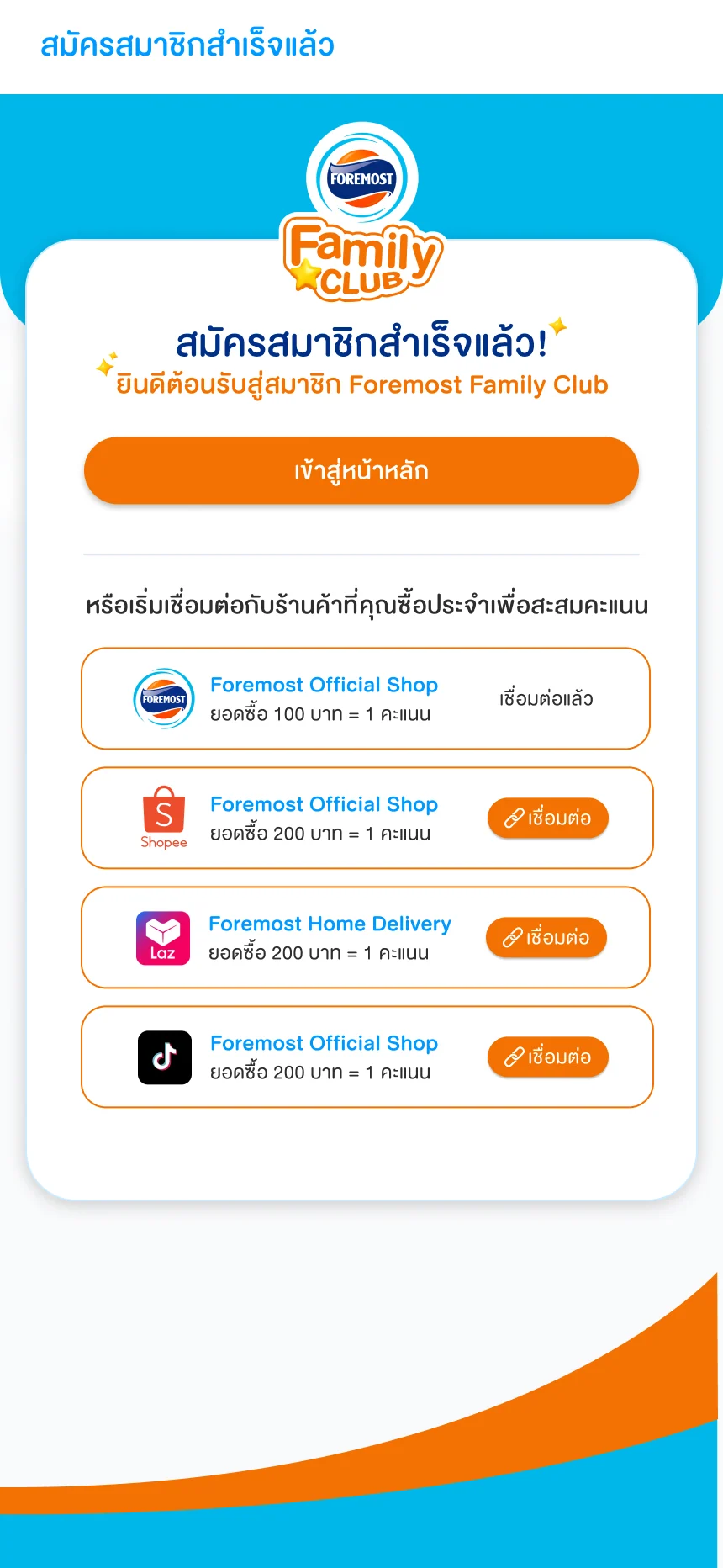
The completion screen introduces shop connections as a next step.
View full screen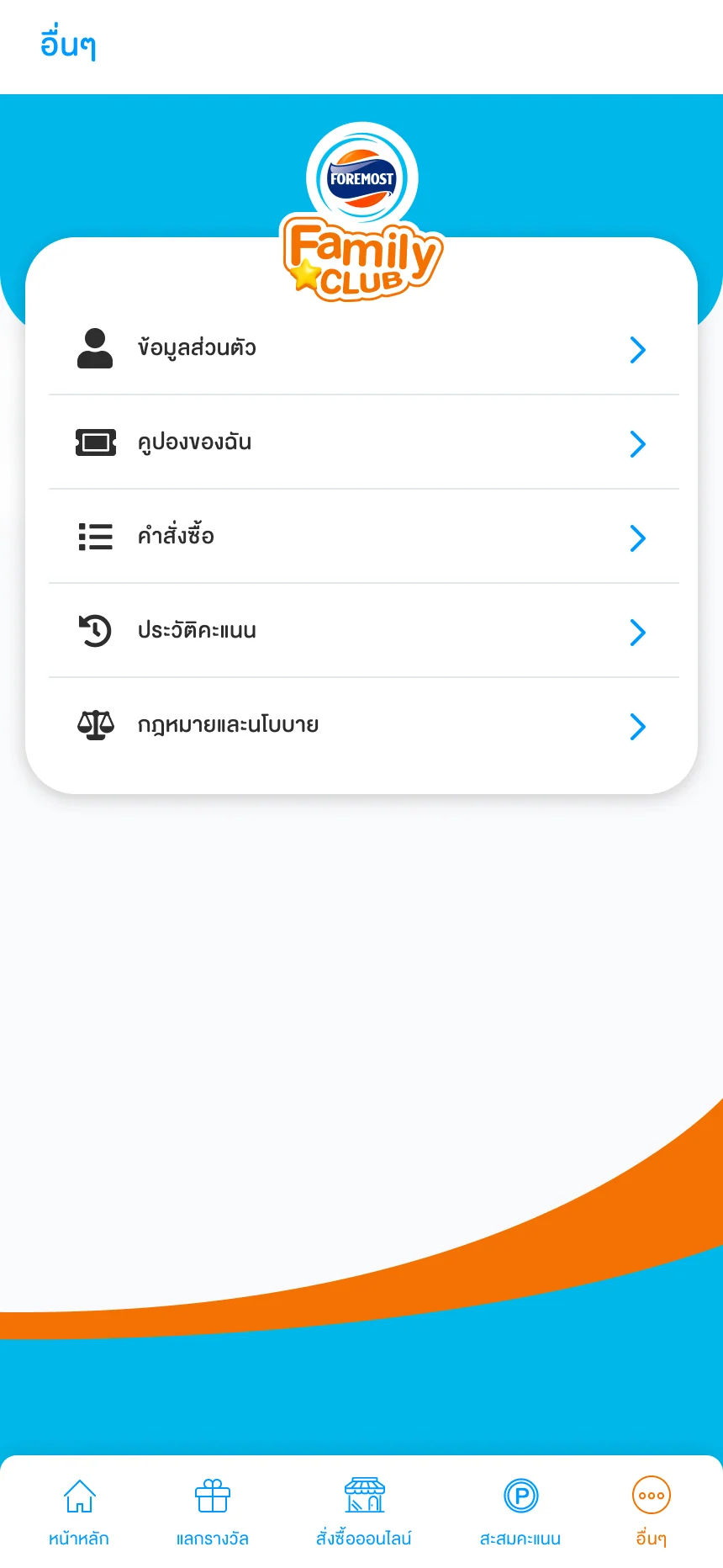
Account routes remain accessible from one menu.
View full screenWEBSITE STATUS
Launched
PROJECT COVERAGE
Product catalogue and landing pages · Responsive Super Gold 1+ designs · E-commerce product and cart interfaces · Family Club membership, shop connections, points and rewards.
Selected website screens and Family Club CRM interface designs. The launched status refers to the brand website; CRM screens are presented as design work.